

How National Casino works on a phone without an app
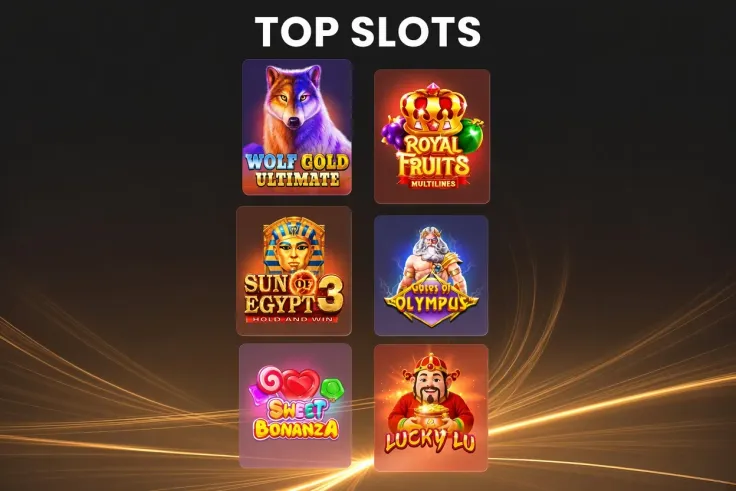
The mobile site is the only mobile option. You open it in a browser on your phone or tablet and use the same casino you would use on a computer. That has a practical side. There is nothing to install, no app update to wait for and no storage space to free up. It also means no app store listing exists for National Casino.
Search results can make this confusing. A search for "national casino app" brings up pages from other sites, and some of them offer downloads under similar names. If a page or an app store listing claims to be a National Casino app, treat it with caution. The brand does not have one, so a file or listing under its name is not from National Casino.
The device pages exist because the question comes up on both platforms. The iPhone app page explains what iPhone and iPad owners should expect. The Android app page does the same for Android phones. The mobile version page is the main one, because it covers how you actually play from a phone.
What you can do from a phone follows what the casino offers overall. National Casino carries games from providers including Playtech, Pragmatic Play, NetEnt, Play'n GO, Hacksaw Gaming, Evolution, Playson, Fugaso, BGaming, Betsoft, Microgaming, Yggdrasil and Ezugi. It has a live casino section, and the slots and games pages show what is available. The live casino page covers table games with live dealers.
Payments are the same whichever device you use. The payment methods are Interac, Visa, Mastercard, Paysafecard, Flexepin, Jeton, MuchBetter, Cryptocurrency and Bank transfer. Withdrawals have a minimum of C$10, and the time depends on the method: Crypto and e-wallets instant to 1 working day; Interac up to 3 working days; bank transfer up to 5 working days.
Mobile site, iPhone and Android: how the pages differ
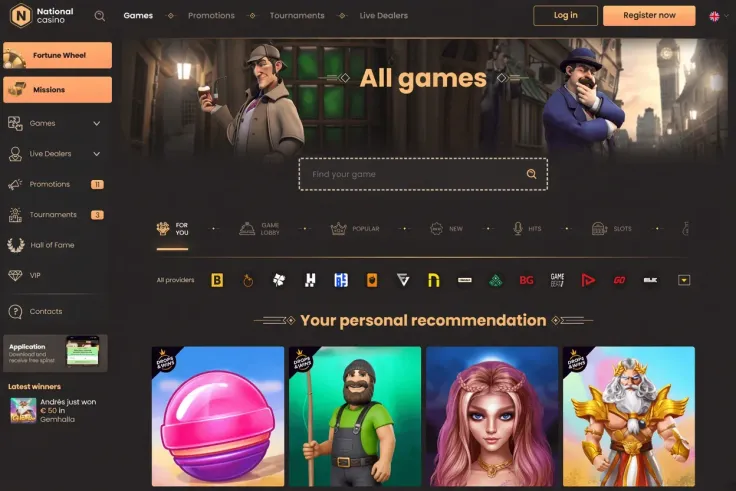
The three pages in this section answer different questions, so it helps to know which one fits yours.
The mobile version page is about the site itself. It covers what you use on a phone, and it is the page to read if you want to know what to expect from a browser-based casino. Most readers need this one.
The iPhone app page is for people who searched on an iPhone and expect to find an App Store download. It explains that there is none and what to do instead. The practical answer is the same mobile site.
The Android app page covers the same ground for Android. Android users often expect to install a file from a website. For National Casino there is no such file, so a download offered under the brand's name should not be trusted.
Compared with a native app, a mobile site has some trade-offs worth knowing:
- You do not need to install anything, which also means nothing to remove later.
- You do not need to wait for or approve updates.
- You use your browser's own saved logins and settings, so keep your phone locked and protect your passwords.
- There is no home screen icon unless you create a shortcut in your browser yourself.
- Your connection matters more, since the casino loads through the browser each time.
None of this changes what the casino offers. Games, payments and support are the same ones described on the other pages of the site, so a choice between the iPhone and Android pages is only a choice of which explanation reads closer to your phone.
19+ · T&Cs apply
Where to start
Begin with what you want to do, not with the device.
If you are new and want to see how National Casino looks on a phone, read the mobile version page, then the sign up page for the steps. If you already have an account, the login page covers getting back in.
If you care most about games, the slots page and the games page show what is available. If you prefer dealers, start with the live casino page. Check a game's rules and features before you play it, particularly on a smaller screen where the paytable can be easy to skip.
If payments decide it for you, read the deposits page and the withdrawals page first. The methods differ in speed. Crypto and e-wallets are quickest on withdrawal, while Interac and bank transfers take longer, and the figures are in the withdrawal time token above. Pick a method you can also use to withdraw.
If your question is whether National Casino is trustworthy, the Is National Casino legit? and Is National Casino safe? pages cover that directly.
Practical tips for using the mobile site

Use your own bookmark. Since there is no app, save the address yourself and type it carefully or use a bookmark you made. Fake sites copy brand names, and a link from a message or an ad is not a safe way in.
Check your connection before you pay. Make deposits on a connection you trust, not on shared public Wi-Fi. If a payment does not complete, check your payment history before you try again.
Plan for identity checks. Verification is required, and it is easier to handle when you have your documents ready. The verification page explains the process.
Read the terms before you accept anything. Offer conditions, payment limits and withdrawal rules sit in the terms and conditions. They are easier to read on a computer screen if the phone makes them hard to scan.
Know how to reach support. National Casino has live chat and email, available 24/7. Use them for account, payment or verification problems. This site cannot help with an account. The contact page lists the channels.
Keep control of your play. Set a limit on what you deposit before you start, and take a break when you want one. The safer gambling page has more.