
A National Casino deposit takes a few minutes of preparation and then follows the steps above: log in, open the cashier, pick a method, enter the amount and confirm. What matters most is having the right things ready before you start, so the payment does not stall halfway.
Have your login details, a payment method in your own name and, if you have not done it yet, your identity documents to hand. You must be of legal gambling age, which is 19 in most provinces, and pass the age and identity checks. If you do not have an account yet, the sign-up guide comes first.
What happens behind the deposit steps
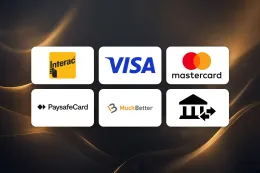
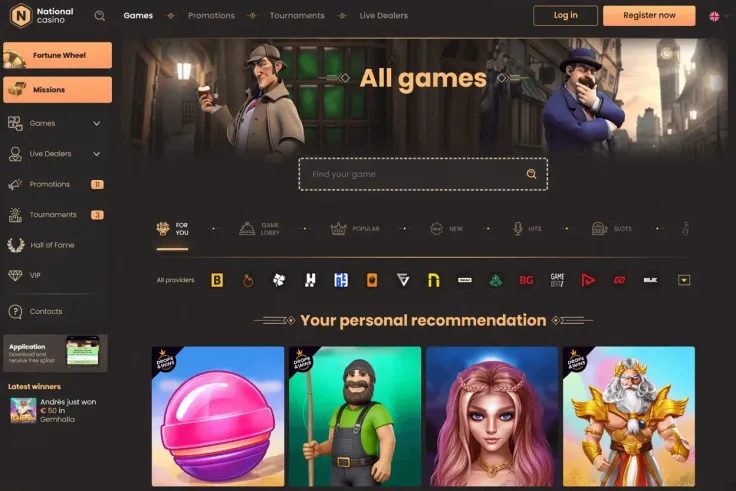
The cashier is where the payment methods are listed. The methods are Interac, Visa, Mastercard, Paysafecard, Flexepin, Jeton, MuchBetter, Cryptocurrency and Bank transfer. Not every method works in both directions: the table above shows which ones accept deposits and which pay out withdrawals. Bank transfer, for example, is marked for withdrawals only, so do not plan a deposit around it.
Pick a method you can also use later
The methods differ in practice more than the list suggests. Interac, Visa and Mastercard run through your bank or card account, so the money comes from an account you already hold. Paysafecard and Flexepin are voucher-style methods, so you pay with a code you bought beforehand. Jeton and MuchBetter are e-wallets, which means you top up the wallet first and then pay from it. Cryptocurrency works from a wallet you control, and the amount you send depends on the rate and network fees at the time.
Because the table marks deposit and withdrawal separately, it is worth looking at both columns before you choose. A method that accepts deposits but is marked No for withdrawals means your later withdrawal will have to go elsewhere. The withdrawals guide covers that side.
Use payment methods in your own name
As general advice, pay only from a card, wallet or bank account registered in your name. Payments from someone else's account are the most common reason a transaction is declined or questioned. This is true across online payments, not just at this casino.
Identity checks
Account verification is required at National Casino. The documents are: Passport or national ID card, Proof of address (utility bill not older than 3 months) and Proof of payment. A passport or national ID card confirms who you are. The proof of address confirms where you live, and the utility bill must be recent. The proof of payment links the method you use to your name.
Checks can take time, and the facts give no fixed duration for them, so do not assume a deposit or a document review will be immediate. Photograph or scan documents in good light, with all four corners visible and every line readable. Details on what each document should show are in the verification guide.
Deposit and offers
Some players deposit with an offer in mind. If so, read the welcome bonus page before you confirm the payment, because the welcome offer needs a minimum deposit of C$25 and has its own conditions. T&Cs apply, and checking which games an offer covers is your own job before you play.
19+ · T&Cs apply
Common problems and what to do
The payment is declined
Start with the basics. Check the card number, expiry date and security code, and make sure the amount is within your own available balance. Then confirm that the account is in your name. A bank can also block a gambling transaction on its side, in which case the decline appears in your banking app or comes with a message from the bank. Contact your bank if so, or switch to another method from the table above.
The money left your account but the balance has not changed
Do not repeat the payment straight away, since that can leave you with a double charge. Reload the cashier and look at your transaction history there. Then check your bank or wallet record for the payment status. If it shows as completed and the casino balance still has not moved, contact support and give them the date, time, amount, method and any payment reference.
Cryptocurrency payments need extra care. A transfer sent to the wrong address or on the wrong network can be impossible to recover, so copy the address exactly and match the network to what the cashier asks for.
A method is missing from the cashier
Not every method in the list is open to every account at every moment. If one you expected is absent, check the table above for whether it supports deposits at all. If the method is listed for deposits and still does not appear, ask support why.
Your documents are rejected
The usual causes are an expired document, a cropped image, a blurry scan, a name that does not match your account, or a utility bill that is too old. Fix the specific problem and send the document again. If you are unsure which one failed, ask support. The verification guide lists what each document has to show.
Forgotten password
If you cannot get into your account, you cannot reach the cashier. Use the reset option on the login page of the casino's own website, and see the login guide for what to do if that does not work.
When to contact support
Live chat and email are available, and support hours are 24/7. There is no phone line. Before you write, collect your username, the method, the amount, the time of the attempt and a screenshot of any error message. This saves a round of questions. The contact page has more on reaching the team.
Keeping your account and spending under control

Enter your password only on the casino's own website. This site has no login or payment form, and a link in an email or a message that asks for your card details or password should be treated with caution. Type the address yourself or use a bookmark you saved earlier.
Set a deposit limit before the first payment, not after. A limit you choose while calm keeps spending to an amount you decided on in advance, and the safer gambling page explains the tools available, including breaks and self-exclusion. Treat every deposit as the cost of entertainment, and never as a way to cover bills or recover earlier losses.
A few habits keep payments tidy:
- Keep a record of each deposit, with the date, amount and method.
- Keep your documents ready so a request from support does not hold you up.
- Use one payment method you also plan to withdraw to, where the table allows it.
- Log out on shared devices.
- Check your bank statement against your casino transaction history.
Before you confirm any payment, look at the amount on the screen and make sure it is the one you meant to enter.